Category: Mac OS

Discovering Where Obsidian Deletes Notes on Mac
The author shares their experience using the Obsidian application for note-taking on a Mac, highlighting an issue with deleted notes. Deleted files from Obsidian are sent to the trash of the external hard drive where the application is installed, rather than the Mac’s main trash. Instructions for accessing the external trash are provided.
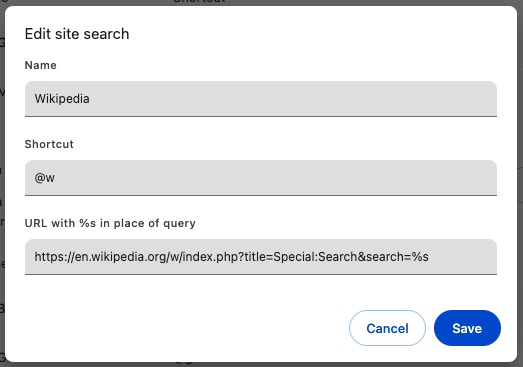
Setting Up Google Chrome’s Site Search for Fast Wikipedia Access
I was setting up Google Chrome when I discovered its feature, the Site Search Shortcut. What is the Site Search Shortcut? It’s a tool that speeds up searches by using a shortcut in the address bar. I often use Wikipedia to search for topics I want to read about. I usually Google the topic (the…

Boost Your Productivity with Mac OS Keyboard Shortcuts
I recently discovered the joy of using keyboard shortcuts in Mac OS. It really makes things easier especially speeding up Mac OS usage in case of productivity. I sorted them below by how often they are used. I will update this blog post if I find any new favorite shortcuts. Legend⌃ Control⌥ Option⌘ Command⇧ Shift⇥…

How to Type Tilde ~ sign in Mac
This tilde sign ~ is absolutely a strange problem to solve, a puzzle more likely. Foreword, I got new keyboard by Jete. I chose that keyboard because I needed bluetooth connection and I had to find a keyboard within 2 days – it was tight deadline. I did not know about Mechanical Keyboard at that…
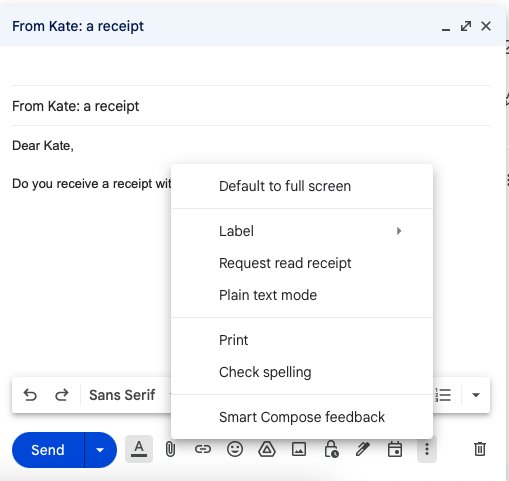
Email Read Receipt in Gmail
Email Read receipt is a feature that is underappreciated because it causes inconvenience to the recipient. Not everyone likes Email Read Receipt, but this feature can be useful for certain times, clarity of communication, tracking important correspondence. The Email Read Receipt feature can be found in email clients that offer premium services, one of which…
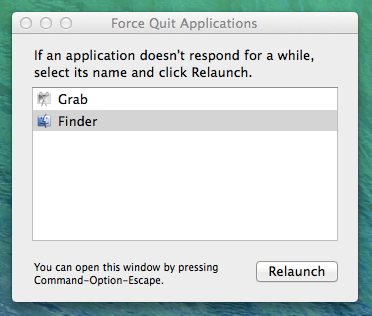
CTRL + ALT + DEL on Mac
I just hit CTRL + ALT + DEL whenever I get frozen on Windows PC, but what to do to when it happens on Mac? what is equivalent to CTRL + ALT + DEL on Mac?